Configuration
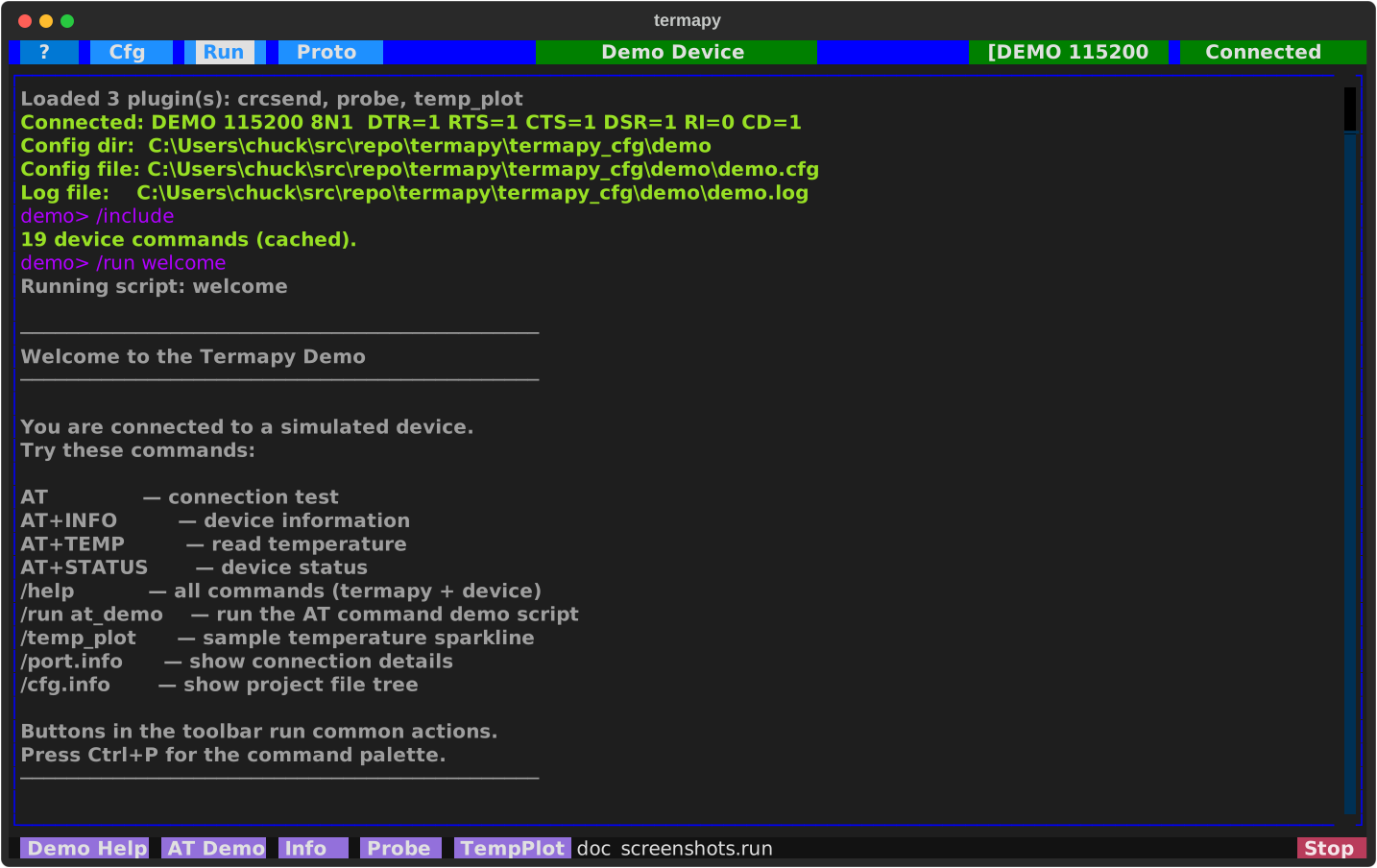
Config directory
Termapy looks for configs in the first directory that matches:
| Priority | Source | Behavior |
|---|---|---|
| 1 | --cfg-dir <path> |
CLI flag -- must exist |
| 2 | TERMAPY_CFG_DIR env var |
Must exist |
| 3 | ./termapy_cfg in current directory |
Used if present, never auto-created |
| 4 | OS default | Auto-created on first run |
The OS default location is %APPDATA%\termapy on Windows,
~/Library/Application Support/termapy on macOS, and
~/.config/termapy on Linux (respects XDG_CONFIG_HOME).
Creating a new config
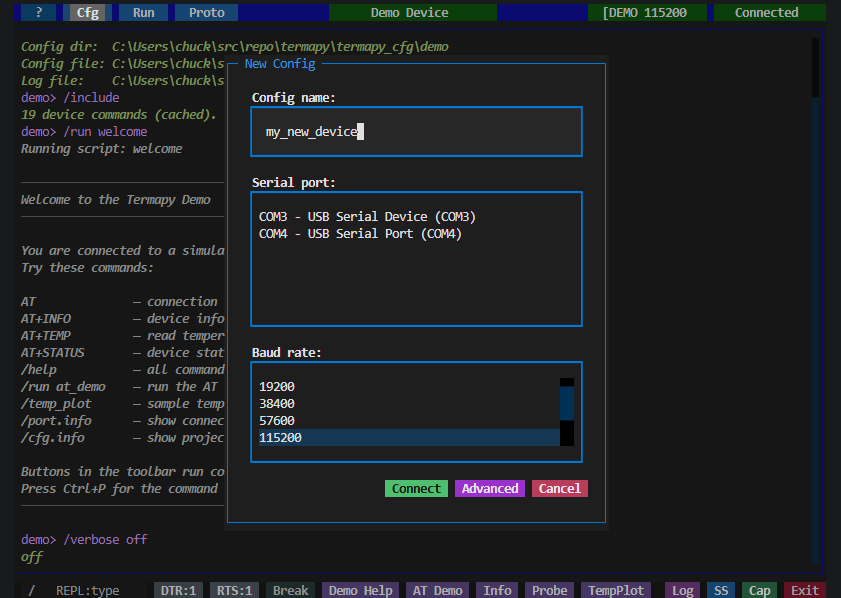
When you create a new config (first run, or Cfg → New), termapy shows a quick-setup dialog where you pick a name, a serial port, and a baud rate. Hit Connect to save and connect, or Advanced to drop into the full JSON editor for fine-grained control.
JSON config file
Each configuration is stored as a JSON file at <config_dir>/<name>/<name>.cfg.
On first run, termapy creates a default config for you. You can edit it
from within the app by clicking the center title bar button or using /cfg.
Here is an example config for a device called iot_device:
{
    "config_version": 29,
    "title": "IoT Device",
    "border_color": "blue",
    "max_lines": 10000,
    "default_ui": "tui",
    "vt100_hint": true,
    "cmd_prefix": "/",
    "cli_prompt": "$(CFG)> ",
    "cli_completion": true,
    "config_read_only": false,
    "profile_path": "",
    "validate_typed_args": false,
    "serial": {
        "port": "COM4",
        "baud_rate": 115200,
        "custom_baud": false,
        "byte_size": 8,
        "parity": "N",
        "stop_bits": 1,
        "flow_control": "none"
    },
    "encoding": "utf-8",
    "cmd_delay_ms": 0,
    "protocol": "text",
    "ndjson_field_routing": {
        "response_id": "id",
        "error_field": "error",
        "event_field": "event"
    },
    "default_response_timeout_ms": 1000,
    "auto_connect": true,
    "auto_reconnect": true,
    "on_connect_cmd": "status\nhelp",
    "tui_on_connect_cmd": "",
    "cli_on_connect_cmd": "",
    "mcp_on_connect_cmd": "",
    "eol": "\r",
    "eol_rx": "auto",
    "send_bare_enter": false,
    "echo": false,
    "echo_fmt": "[purple]$(CFG)> {cmd}[/]",
    "log_file": "",
    "show_traceback": false,
    "proto_frame_gap_ms": 50,
    "proto_results_template": "{name}_results.json",
    "timestamps": false,
    "eol_markers": false,
    "line_no": false,
    "hex": false,
    "request_mode": false,
    "request_err_pattern": "(?i)^(ERROR|ERR|FAULT)\\b",
    "strip_device_echo": false,
    "max_grep_lines": 100,
    "file_xfer_root": "",
    "cfg_enabled": true,
    "run_enabled": true,
    "proto_enabled": true,
    "record_enabled": true,
    "custom_buttons": [
        {
            "enabled": true,
            "name": "Reset",
            "command": "ATZ",
            "tooltip": "Reset device"
        },
        {
            "enabled": true,
            "name": "Init",
            "command": "ATZ\\nAT+BAUD=115200",
            "tooltip": "Reset and set baud"
        }
    ]
}
This file would be saved at termapy_cfg/iot_device/iot_device.cfg.
Config field reference
| Field | Default | Description |
|---|---|---|
serial.port |
"" |
Port spec. Accepts a literal device ("COM4", "/dev/ttyUSB0"), a USB serial number ("A1B2C3D4"), a \|-separated fallback chain ("A1B2C3D4\|COM3"), a reserved name ("DEMO"), or a pyserial URL ("rfc2217://host:2217"). See ports.md for the grammar. Auto-detected when only one port is connected. |
serial.baud_rate |
115200 |
Serial baud rate -- non-standard rates require custom_baud |
serial.custom_baud |
false |
Allow non-standard baud rates (>= 300). Modern drivers support arbitrary rates |
serial.byte_size |
8 |
Data bits per byte (5, 6, 7, or 8) |
serial.parity |
N |
Parity: None, Even, Odd, Mark, or Space |
serial.stop_bits |
1 |
Stop bits (1, 1.5, or 2) |
serial.flow_control |
none |
none, rtscts, xonxoff, or manual (shows DTR/RTS/Break buttons) |
encoding |
utf-8 |
Character encoding (utf-8, latin-1, ascii, cp437) |
cmd_delay_ms |
0 |
Milliseconds between commands in autoconnect and multi-command input |
protocol |
text |
Wire format the device speaks: "text" (line-oriented) or "ndjson" (one JSON per line) |
ndjson_field_routing |
{...} |
NDJSON: which JSON fields the MCP bridge routes on (response_id/error_field/event_field) |
default_response_timeout_ms |
1000 |
Fallback wait (ms) for a profile command lacking its own response.timeout_ms |
eol |
\r |
Appended to each sent command: \r, \r\n, or \n |
eol_rx |
auto |
Receive newline: split output into lines. auto/cr/lf/crlf (set: /term.eol.rx) |
send_bare_enter |
false |
Send line ending on empty Enter (for "press enter to continue" prompts) |
auto_connect |
false |
Connect automatically when the app starts |
auto_reconnect |
false |
Retry connection every 2.5s if the port drops or fails to open |
on_connect_cmd |
"" |
Commands to send after connecting (all frontends), separated by \n |
tui_on_connect_cmd |
"" |
Extra commands to send after connecting in TUI mode (after on_connect_cmd) |
cli_on_connect_cmd |
"" |
Extra commands to send after connecting in CLI mode (after on_connect_cmd) |
mcp_on_connect_cmd |
"" |
Extra commands to send after connecting in MCP mode. Common: echo off / color off to silence device at the source (MCP already strips ANSI; /term.color on re-enables) |
profile_path |
"" |
Explicit v2 device profile. MCP-only: --mcp loads it on connect. Empty = convention |
echo |
false |
Echo device commands sent to the wire (bare + /term.send). Runtime: /term.echo {on\|off\|toggle} |
echo_fmt |
[purple]$(CFG)> {cmd}[/] |
Rich markup format for echoed commands |
log_file |
"" |
Session log path (defaults to <name>.log in config subfolder) |
timestamps |
false |
Prefix lines with [HH:MM:SS.mmm] |
eol_markers |
false |
Show dim \r \n markers in serial output for debugging |
line_no |
false |
Show line numbers in serial output |
hex |
false |
Display serial I/O as hex bytes instead of text |
request_mode |
false |
Turn bare device commands into synchronous request/response (see /term.request) |
request_err_pattern |
(?i)^(ERROR\|ERR\|FAULT)\\b |
Regex detecting device-side errors in request_mode responses. Empty disables. Override per-session via /term.request on err=<regex> |
strip_device_echo |
false |
Drop a half-duplex device's echoed command from request_mode responses (opt in per device) |
validate_typed_args |
false |
Opt-in: validate bare-command typed_args against the active profile's type registry. Off = raw access; on = mirrors MCP (bad values fail before the wire). |
max_grep_lines |
100 |
Maximum lines shown by /grep |
file_xfer_root |
"" |
Root directory for file transfer (empty = cap/). See File Transfer. |
proto_frame_gap_ms |
50 |
Silence gap (ms) to detect end of a binary frame |
proto_results_template |
{name}_results.json |
Filename template for protocol test JSON results |
title |
"" |
Title bar text (defaults to config filename) |
border_color |
"" |
Title bar color (CSS name or hex like #ff6600) |
max_lines |
10000 |
Scrollback buffer size |
default_ui |
tui |
Default UI mode: tui, cli, or vt100 |
vt100_hint |
true |
Show a VS Code key-capture tip in --vt100 mode (set false to hide) |
cmd_prefix |
/ |
Prefix for local REPL commands |
cli_prompt |
$(CFG)> |
Prompt string in CLI mode (supports variables) |
cli_completion |
true |
Enable CLI tab completion, auto-suggest, and help toolbar |
config_read_only |
false |
Disable Edit button in pickers (/cfg still changes in-memory values) |
cfg_enabled |
true |
Show the Cfg button in the title bar |
run_enabled |
true |
Show the Run button in the title bar |
proto_enabled |
true |
Show the Proto button in the title bar |
record_enabled |
true |
Show the Record button next to the REPL prompt (toggles /run.record) |
show_traceback |
false |
Show full stack trace on serial errors |
custom_buttons |
[4 entries] |
Custom button objects (see Custom Buttons) |
Connection behavior
auto_connect and auto_reconnect are independent settings.
auto_connect opens the port when a config loads (app startup or config
switch). auto_reconnect retries the connection when the port drops or
a manual connect attempt fails -- it does not control startup behavior.
While reconnecting, the title bar turns amber and shows a spinner.
Config management
Click the Cfg button in the title bar, click the config name, or use the command palette to open the config picker. Configs are listed newest first with size, last-updated age, port, baud, and title.
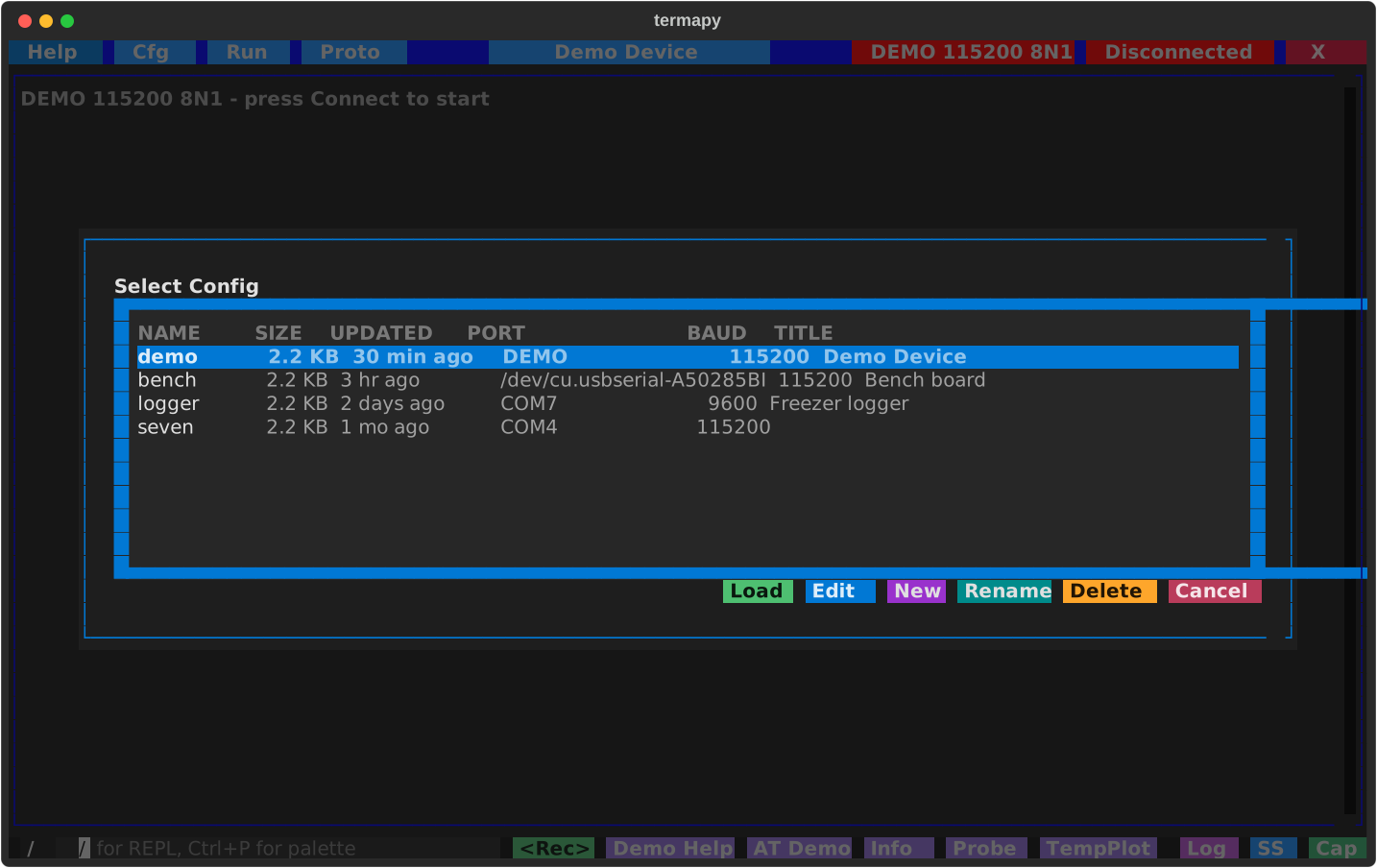
The picker's actions:
- Load: switch to the highlighted config. If the configured port is not available, a port picker is shown.
- Edit: open the highlighted config in the JSON editor
- New: create a new config from defaults. If one serial port is detected it is used automatically; if multiple ports are found a picker is shown before opening the editor.
- Rename: rename the highlighted config. The
termapy_cfg/<name>/folder and the<name>.cfginside it move together (with the command history); renaming the active config reloads it. - Delete: delete the highlighted config file (asks for confirmation)
- Cancel: close the picker
The JSON editor provides:
- Save: write changes to the current config file
- Save As: save as a new config (creates a new subfolder)
- Cancel: discard changes
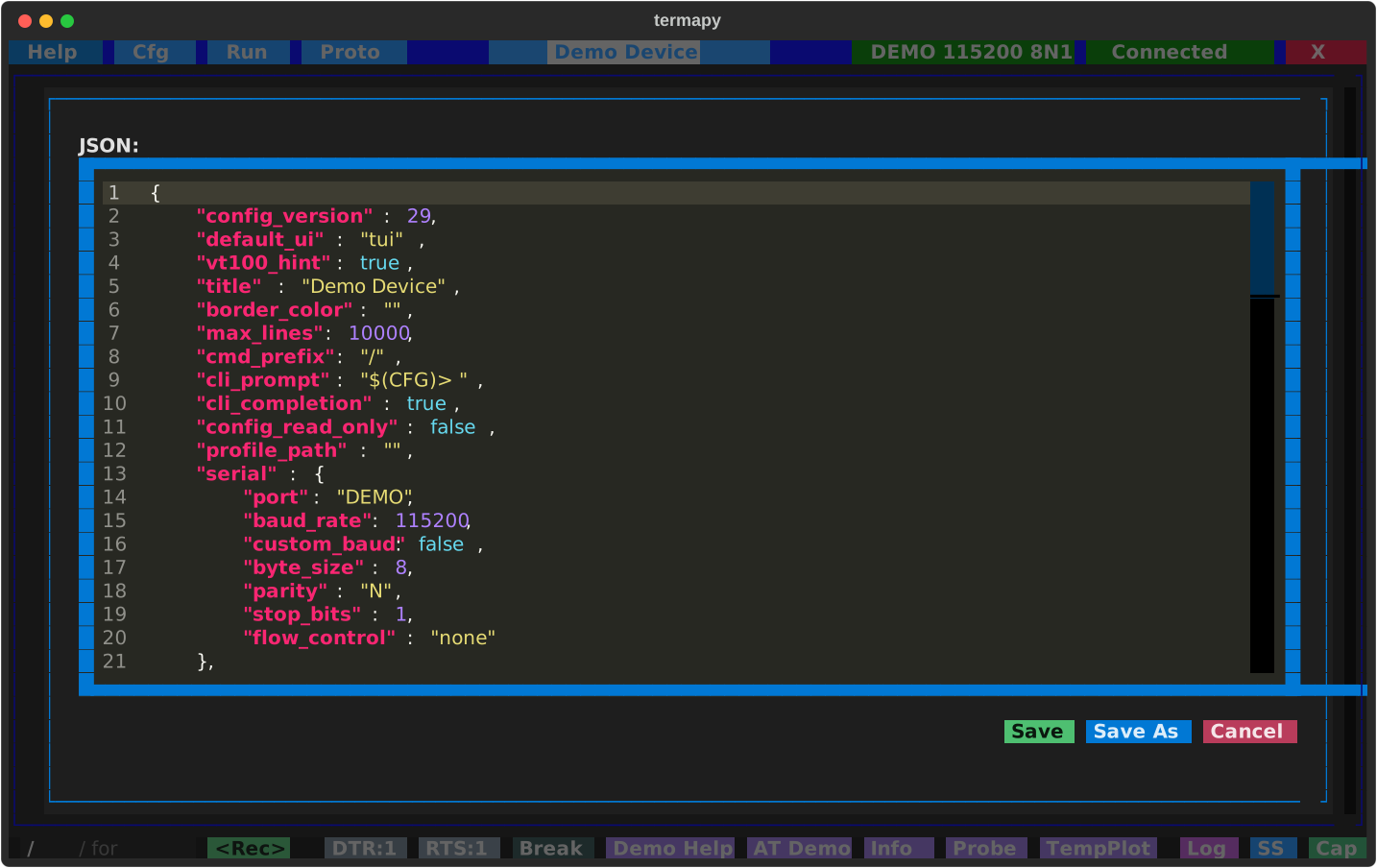
Invalid JSON is caught before saving, with the error shown inline.