Data capture
Capture serial output to files without interrupting normal display or logging.
Text capture (timed)
File is always the first argument. All keywords can appear in any order
except cmd= which must be last (it consumes everything after it).
Mode defaults to new. Duration: e.g. 2s, 500ms.
Data is written as ANSI-stripped text, one line at a time.
Binary capture (raw bytes)
Captures raw binary bytes straight to a file.
Structured capture (format spec to CSV)
/cap.struct <file> fmt=<spec> records=<N> {mode=new|append} {sep=comma|tab|space} {echo=on|off} {timeout=<dur>} {cmd=... (must be last)}
/cap.hex   <file> fmt=<spec> records=<N> {mode=new|append} {sep=comma|tab|space} {echo=on|off} {timeout=<dur>} {cmd=... (must be last)}
/cap.stop
Use fmt= with the format spec language to define the record structure.
/cap.struct reads raw bytes; /cap.hex reads hex-encoded text lines.
Byte ranges are 1-based. Omit names for unnamed columns.
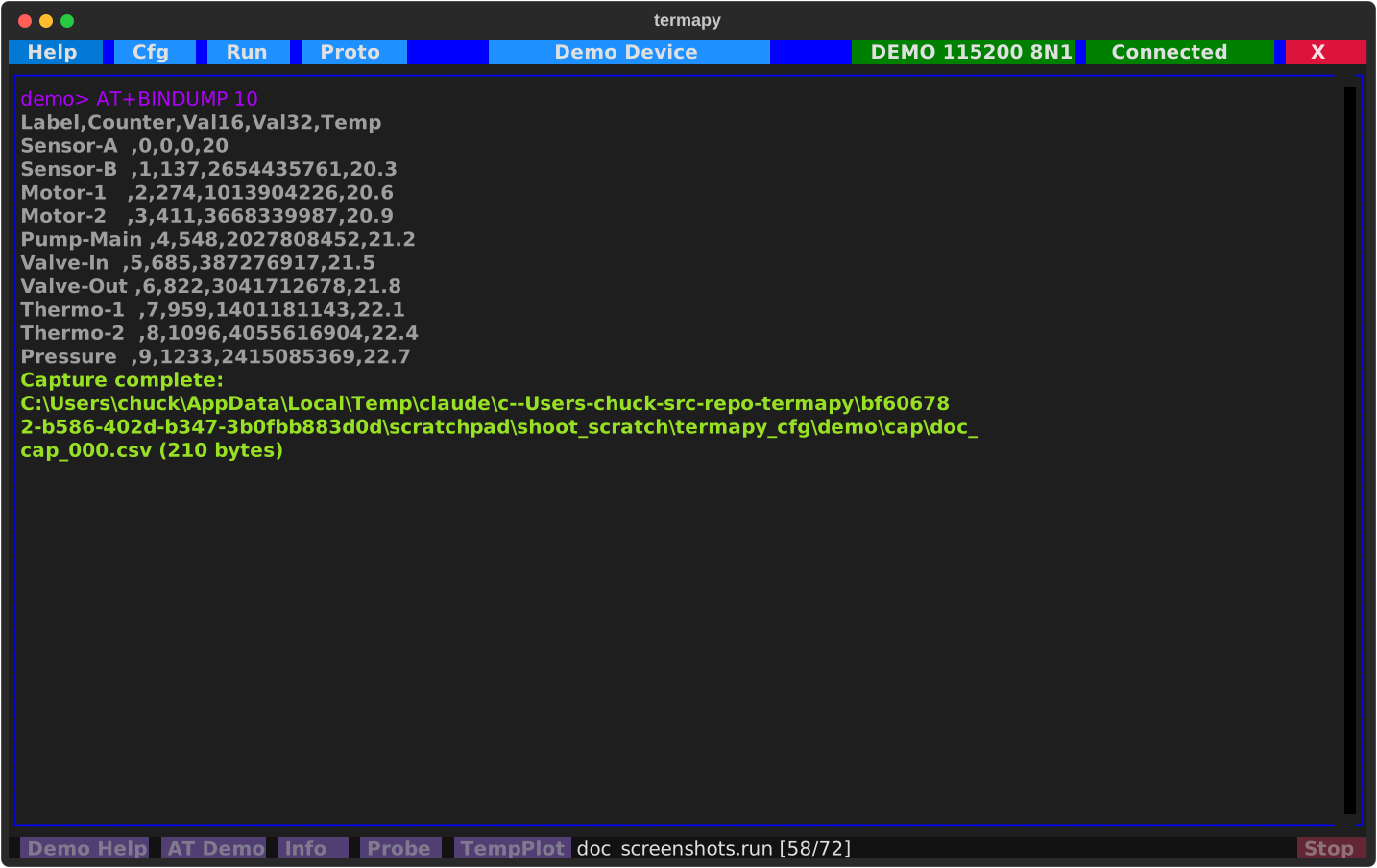
records=N: number of records (record size derived from format spec)bytes=N: alternative; total bytes (must be a multiple of record size)sep=comma|tab|space: column separator (default comma, produces CSV)echo=on|off: print formatted values to terminal (default off)mode=new|append: file mode (default new)- Header row written when columns have names (e.g.
Temp:U1-2)
Format spec examples
# Single unsigned 16-bit column (big-endian)
/cap.struct data.csv fmt=Val:U1-2 records=50 cmd=AT+BINDUMP u16 50

# Mixed-type record: string + integers + float (little-endian)
/cap.struct mixed.csv fmt=Label:S1-10 Counter:U11 Val16:U13-12 Val32:U17-14 Temp:F21-18 records=20 cmd=AT+BINDUMP 20

# Raw-byte records rendered as hex columns (still /cap.struct)
/cap.struct packets.csv fmt=Header:H1-4 Payload:H5-20 records=100 cmd=stream

# Tab-separated with echo
/cap.struct log.tsv fmt=A:U1-2 B:F3-6 records=100 sep=tab echo=on cmd=read

# Raw binary (no format spec)
/cap.bin raw.bin bytes=256 cmd=read_all
Timed polling: /cap.poll
/cap.poll {count=N} {delay=<dur>} {file=<name>} {labels=<names>} {regex=<pattern>} {fmt=csv|json} {timeout=<dur>} {--overwrite} {--notime} cmd=<commands>
Runs commands on a schedule and collects their responses. Unlike the
other /cap.* variants (which passively capture device output), /cap.poll
actively issues commands and records each response as a row.
Without file=, results go only to the terminal. With file=, results
also stream to a CSV or JSONL file.
Simplest form -- 60 samples at 1s intervals, terminal only:
Multi-column, saved to file:
Extract a number from a prose response with a regex:
Defaults: count=60, delay=1s, fmt=csv, timeout=1s. Use delay=0
to go as fast as possible. Without regex=, the first sample must be a
numeric value or the command aborts.
Format spec quick reference
| Spec | Meaning |
|---|---|
U1 |
1-byte unsigned |
U1-2 |
2-byte unsigned, big-endian |
U2-1 |
2-byte unsigned, little-endian |
U1-4 |
4-byte unsigned |
I1-2 |
2-byte signed integer |
F1-4 |
4-byte IEEE 754 float |
F1-8 |
8-byte double |
S1-10 |
10-byte ASCII string |
H1-4 |
4 bytes as combined hex |
See Protocol Testing for the full format spec language.
Auto-numbered filenames
Use $(n000) in filenames for auto-incrementing sequence numbers.
The number of zeros sets the digit width (max 3). A counter file in cap/
tracks the last-used number across sessions, with rollover.
| Pattern | Range |
|---|---|
$(n0) |
0-9 |
$(n00) |
00-99 |
$(n000) |
000-999 |
Bare filenames are saved to the per-config cap/ directory.
A progress bar and Stop button overlay the toolbar during capture:
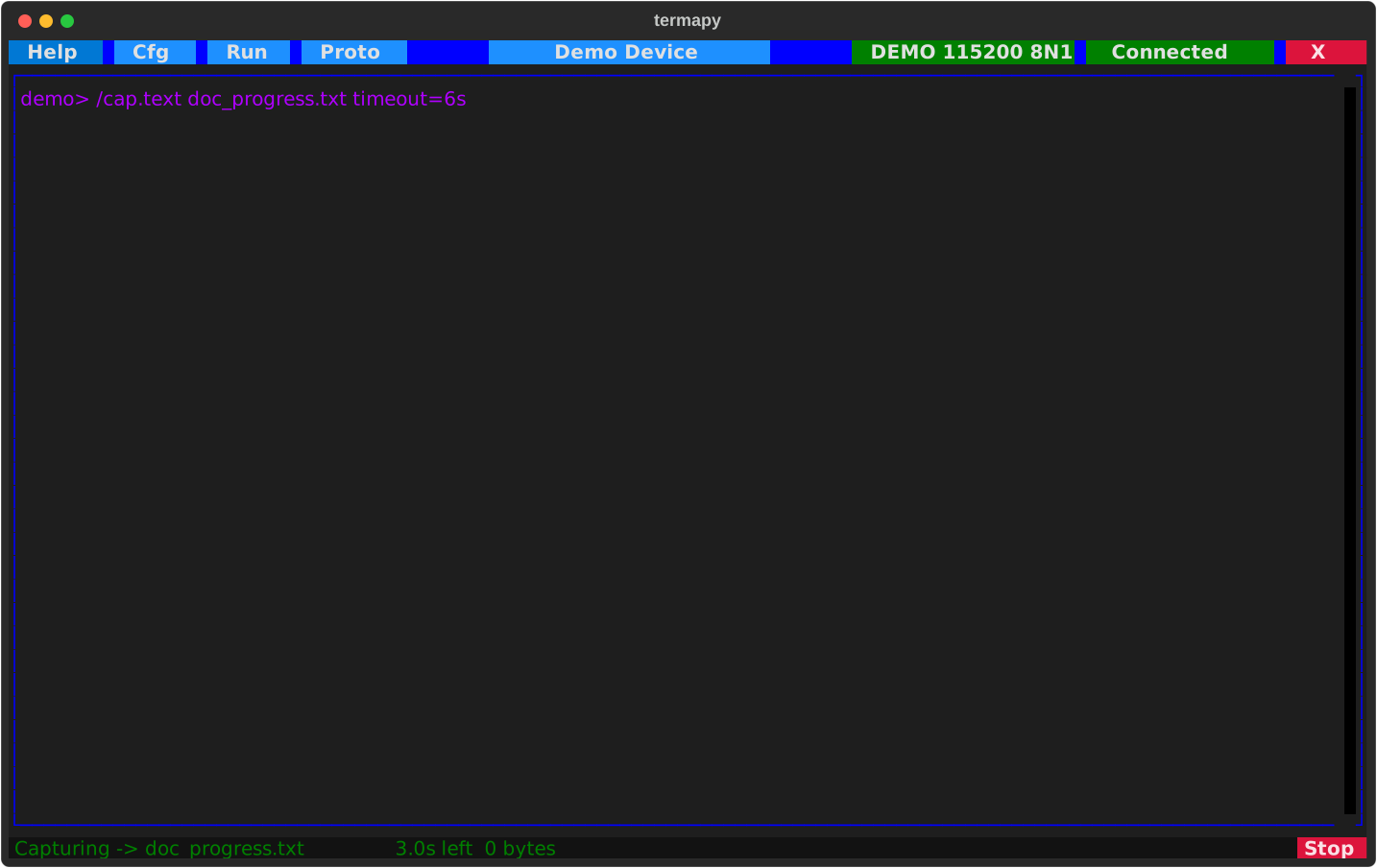
When a capture ends, the completion line reports the file, its size, and
the wall time it ran, e.g. Capture complete: cap/log.txt (2.0 KB in 3.2s).
/cap.list lists the folder newest first with size and age (records under
--json), /cap.rename <old> <new> renames a file, and the Cap button
opens the cap/ folder.